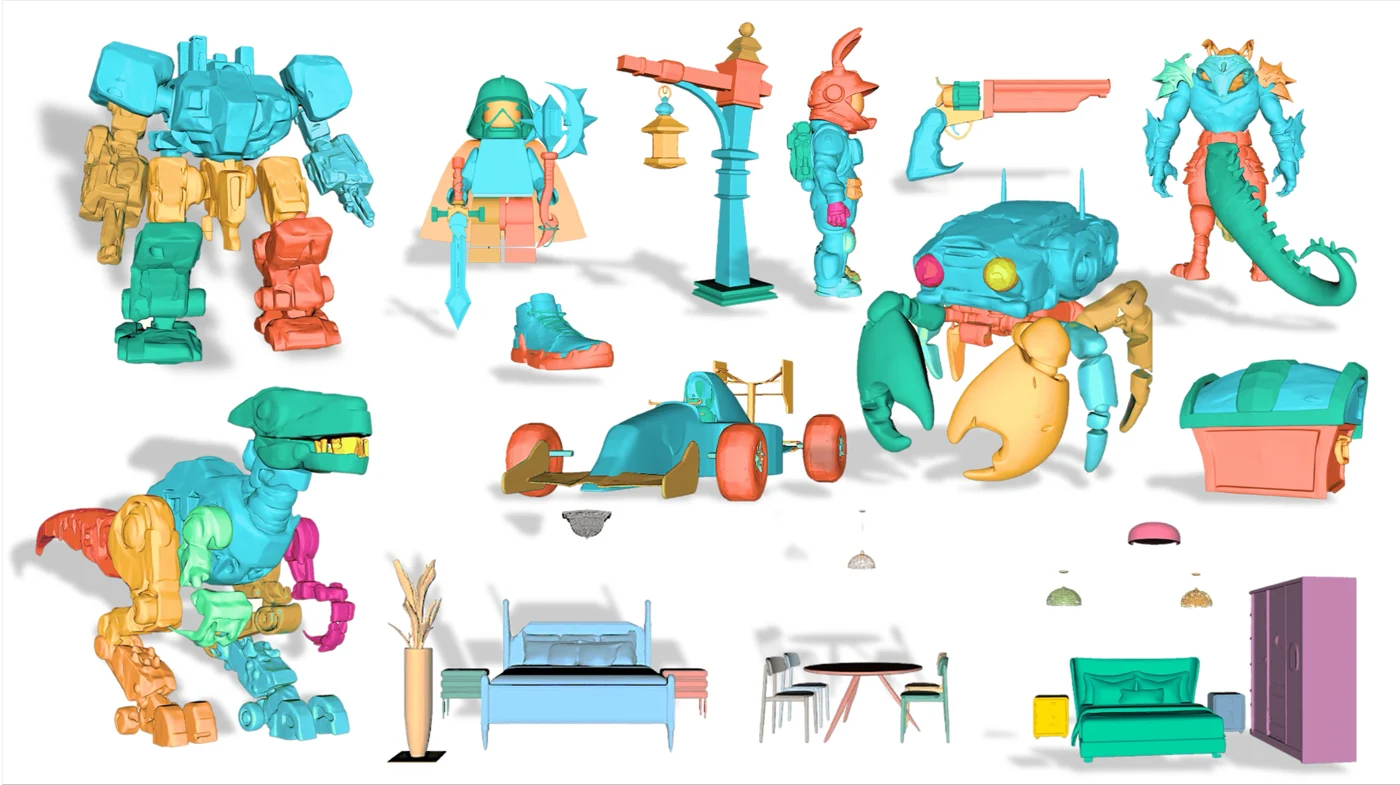
Hunyuan3D 2.1: image-to-3D with PBR materials
Hunyuan3D 2.1 combines image-based shape generation with PBR material synthesis. The useful upgrade is not just more detail: surfaces can respond to changing light instead of carrying every highlight in a flat color texture.
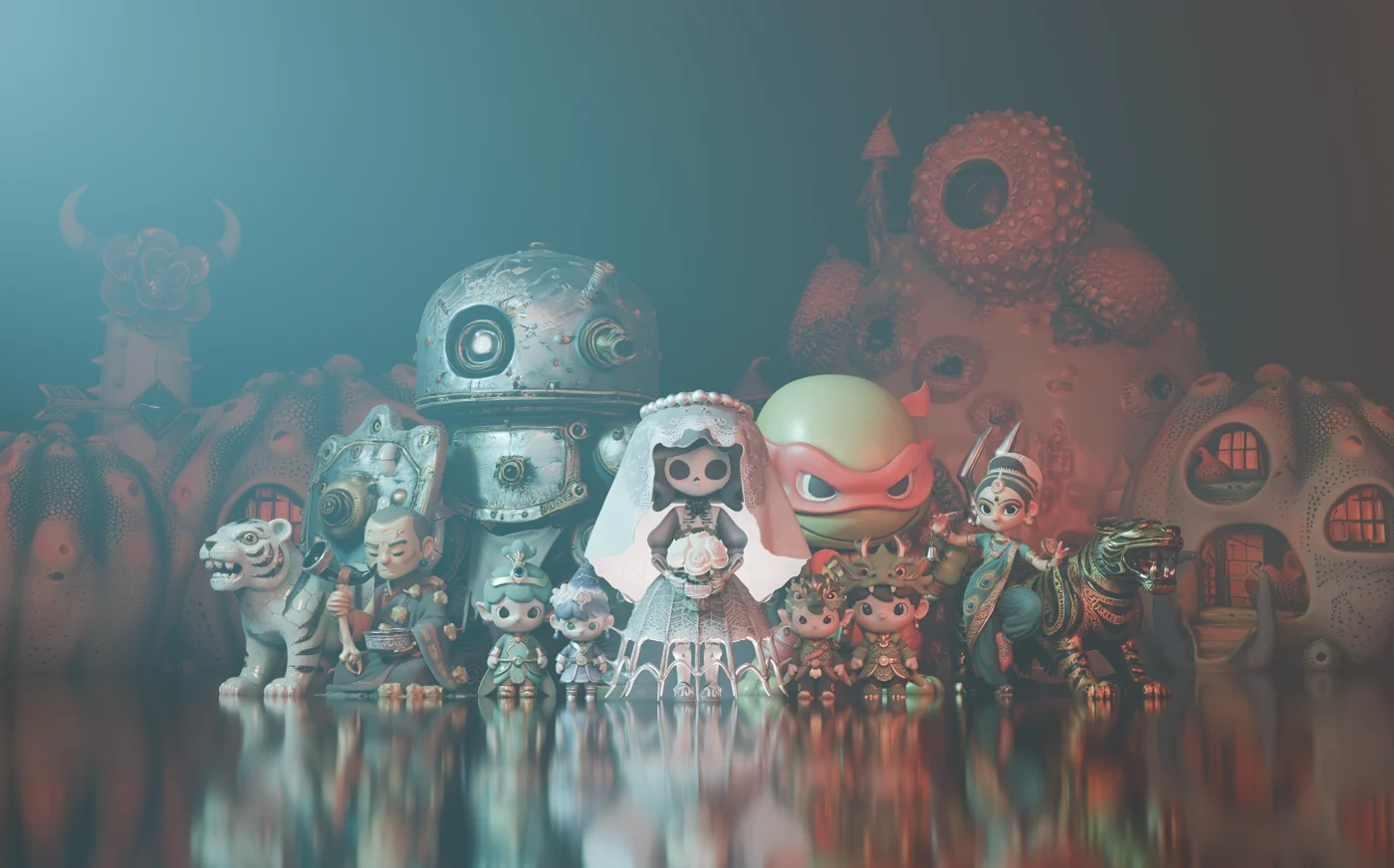
Tencent’s 2025 release separates the mesh and material stages and publishes model weights and training code. It is especially relevant when a generated prop needs to look convincing in a different scene, not only in its original preview.
What changes with PBR materials?
A color texture describes surface color. A PBR material also describes how the surface reflects light, including roughness and metallic behavior. A metal robot and a painted ceramic figure can therefore react differently when the camera or lighting moves.
For a game prop, product preview, or close-up render, that distinction matters more than a polished thumbnail. Inspect the model under neutral lighting and a second environment: highlights that remain fixed on the surface may be baked into the color rather than produced by the material.
Shape and appearance are separate decisions
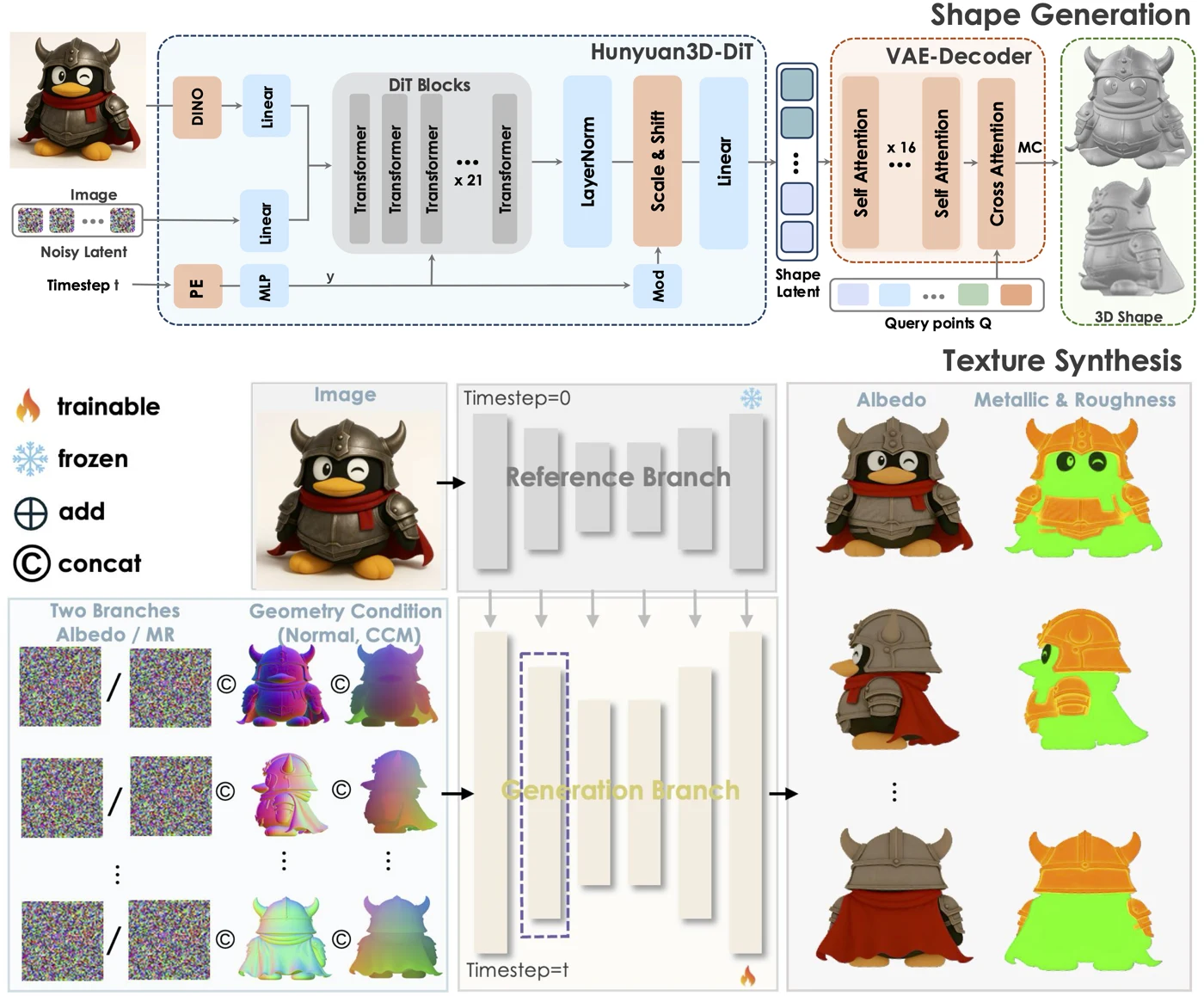
Hunyuan3D-Shape produces geometry from the reference image; Hunyuan3D-Paint adds the material stage. This separation makes it easier to distinguish a weak silhouette from a weak texture. Painting more detail onto an incorrect mesh will not repair its proportions or missing volume.
The official release includes both stages, rather than only a hosted image-to-3D interface. That matters for teams evaluating a model family or adapting a pipeline. It does not make every generated asset automatically production-ready.
Shape
Inspect the silhouette, underside, holes, thin structures, and proportions from several views.
Materials
Check that the exported file contains the expected textures and that the target renderer interprets them correctly.
Delivery
Review triangle count, texture size, scale, and the payload your viewer or game actually loads.
Where it is useful
Stylized props, collectible figures, and isolated product concepts are good candidates for this kind of image-conditioned asset generation. A clear object boundary and visible volume give the model a stronger reference than a crowded scene or heavy motion blur.
For an asset with a distinctive back, use that hidden side as a review priority. A single image does not provide a full scan. Generated geometry is an interpretation of unseen surfaces, so logos, mechanical connections, and exact dimensions still need deliberate checking.
Read the official examples as a material test
The showcase gives a useful sense of the range of characters and props. The architecture diagram shows how shape generation and material synthesis work together. A useful material comparison looks beyond the original scene lighting.
When comparing outputs, keep camera angle and lighting consistent. Compare the mesh without textures as well as the textured render. That prevents a detailed color map from disguising a lumpy surface or a missing part.
Before using an exported asset
For a web or AR preview, a GLB inspection is a practical first check: look at the actual material slots, embedded textures, dimensions, and file size. For animation, review deformation and topology separately. A detailed static mesh does not imply a rig or animation-ready edge flow.
For 3D printing, material quality is not the deciding factor. Closed geometry, wall thickness, scale, and stable supports matter instead. Keep an editable source and a textured master before making a reduced or print-oriented version.
Frequently asked questions
How is Hunyuan3D 2.1 different from Hunyuan3D 2.0?
The 2.1 release introduces an upgraded PBR material pipeline and publishes model weights and training code. Review exported geometry and materials separately rather than comparing only preview images.
Does a PBR model automatically work in every 3D application?
No. Material appearance depends on the exporter, texture packaging, and target renderer. Open the exported file in the actual destination and check its texture maps and lighting response.
How much GPU memory does Hunyuan3D 2.1 need?
The official repository reports 10 GB VRAM for shape generation, 21 GB for texture generation, and 29 GB for the combined shape-and-texture pipeline. Treat these as the published pipeline requirements, not a browser or mobile-device requirement.
Turn your own idea into a 3D asset
Start with a clear reference image or a focused prompt, then review the exported model before using it in your project.
Generate a 3D model